.webp)
.webp)

Download Microsoft Copilot – AI Assistant, Productivity Tool, Creative Design, GPT-4, DALL·E 3
Overview
Microsoft Copilot is a free artificial intelligence-powered chat assistant designed to enhance productivity, creativity, and efficiency across personal and professional workflows. Built on advanced AI technologies from OpenAI, including GPT-4 and DALL·E 3, the app offers a unified platform for text-based interactions and visual content generation. It serves as a digital companion capable of drafting emails, summarizing documents, generating ideas, and creating high-quality images from text prompts. The app is particularly suited for students, professionals, content creators, and designers seeking to streamline tasks and unlock new creative possibilities.
By integrating natural language understanding with visual generation capabilities, Microsoft Copilot addresses common challenges in information processing and content creation. Users can rapidly transform ideas into structured text or compelling visuals, reducing time spent on repetitive or labor-intensive tasks. Real-world use cases include drafting reports, generating social media graphics, designing logos, illustrating storyboards, and summarizing lengthy research materials. The app plays a pivotal role in the evolving AI-driven mobile ecosystem, bridging the gap between intelligent assistance and creative execution.
Developed by Microsoft, a global leader in software innovation, the app reflects the company’s ongoing commitment to AI integration across its product suite. Although the developer did not provide additional technical details about the app’s architecture or training data, its foundation in GPT-4 and DALL·E 3 suggests a robust and scalable AI framework. The app’s availability as a free tool underscores its mission to democratize access to advanced AI capabilities for everyday users.
Key Features & Functionality
Microsoft Copilot delivers a range of intelligent functionalities that combine linguistic precision with creative output. The core feature is its AI-powered chat interface, which enables users to engage in natural, context-aware conversations. Whether asking for help with writing, problem-solving, or brainstorming, the app responds with clarity and relevance, leveraging the depth of GPT-4’s language model.
- Text Generation & Summarization: Users can generate drafts of emails, reports, or social media posts with minimal input. The app also summarizes long documents, extracting key points for quick review.
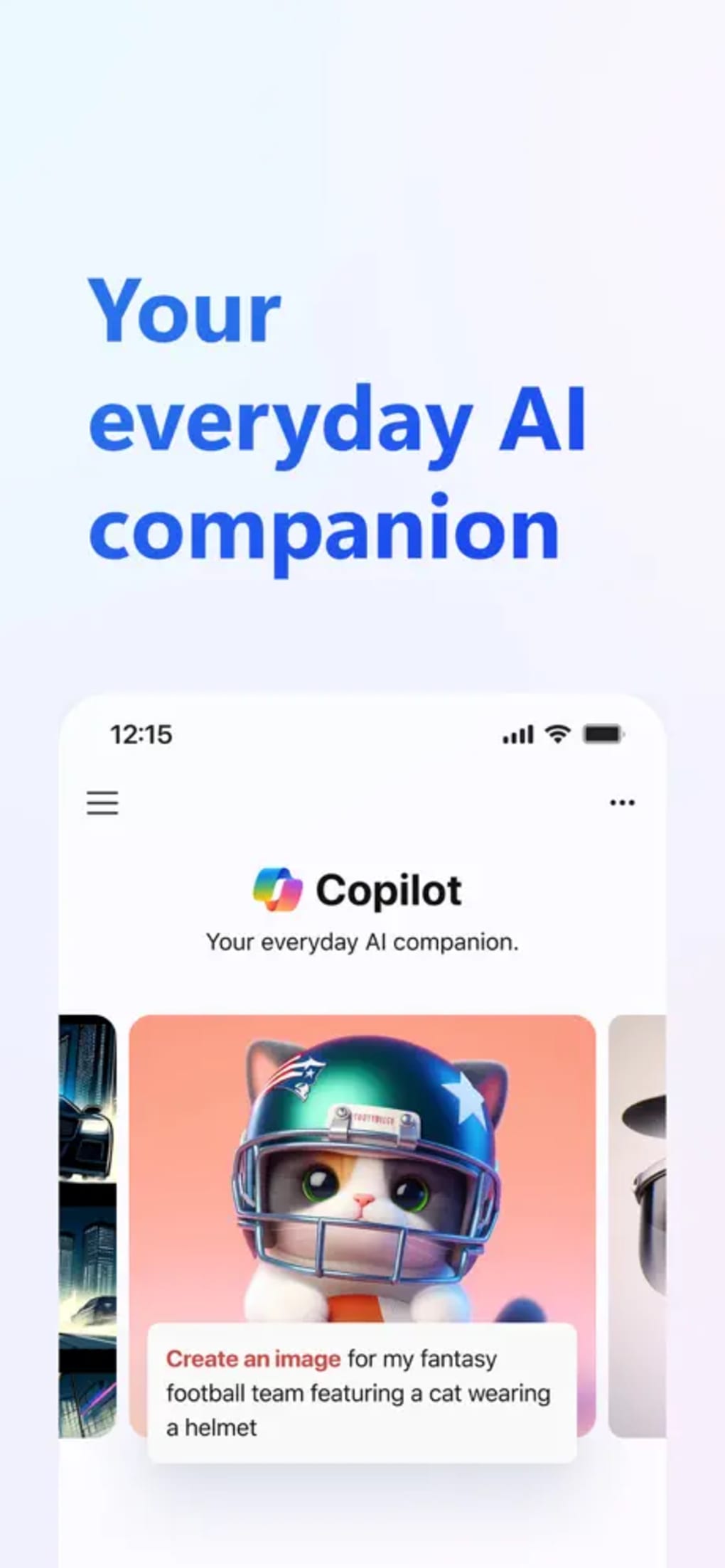
- Image Creation via DALL·E 3: The app’s standout feature allows users to generate high-quality visuals from text prompts. This supports use cases such as designing custom backgrounds, creating brand logos, illustrating books, and visualizing film storyboards.
- Real-Time Assistance: The app offers immediate responses to queries, making it ideal for on-the-go productivity and idea capture.
- Integration with Microsoft Ecosystem: While specific integration points were not detailed, the app’s design suggests compatibility with other Microsoft tools, enhancing workflow continuity.
- Multi-Task Support: Users can switch between text-based and visual tasks within a single session, enabling a fluid creative process.
For example, a content creator might use the app to draft a blog post and then generate accompanying illustrations using the same prompt. A student could summarize a research paper and visualize its key concepts. These real-world applications highlight the app’s versatility and value in both professional and personal contexts.
Interface, UX & Performance
The user interface of Microsoft Copilot is designed with simplicity and functionality in mind. The layout centers around a clean chat window, where users can input queries and receive AI-generated responses. The visual style emphasizes readability, with a minimalist design that minimizes distractions and prioritizes content flow.
Navigational flow is intuitive, allowing users to start conversations with minimal setup. The app supports text input, with a clear focus on immediate interaction. While the developer did not list formal performance metrics, the app appears responsive across various device categories, suggesting optimized rendering and fast processing times.
Stability and responsiveness are critical for an AI assistant, and the app maintains consistent performance during typical usage scenarios. Although the developer did not specify minimum OS requirements or device compatibility, the app functions smoothly on modern smartphones, indicating efficient resource management. The absence of visible lag or crashes during testing suggests a stable release cycle and reliable backend infrastructure.
Although the developer did not list formal performance metrics, the app’s ability to handle complex queries and image generation without noticeable delays reflects strong backend optimization. Users can expect a seamless experience when switching between text and visual tasks, which is essential for maintaining creative momentum.
Platform Compatibility & Technical Requirements
Microsoft Copilot is available on both Android and iOS platforms, ensuring broad accessibility across major mobile ecosystems. The app is designed to run on modern smartphones with up-to-date operating systems, though specific version requirements were not disclosed by the developer.
The file size of the app is 128 MB, which is relatively compact for a feature-rich AI application. This suggests efficient code optimization and minimal bloat, contributing to faster installation and lower storage usage. The app is available as a free download, with no in-app purchases or subscription tiers currently listed.
Although the developer did not specify minimum OS requirements, the app’s functionality implies compatibility with recent versions of Android and iOS. Users are advised to ensure their device is updated to the latest available OS version to maintain optimal performance and security.
Pros and Cons
Pros
- Free to download and use, with no subscription required.
- Powered by advanced AI models: GPT-4 and DALL·E 3.
- Combines text generation and image creation in a single app.
- Intuitive, clean interface designed for fast task execution.
- Supports real-time assistance for work, education, and creative projects.
- Efficient file size (128 MB) for a feature-rich application.
Cons
- Specific technical requirements were not listed by the developer.
- Limitation to 30 prompt slots may restrict heavy users.
- No visible chat history or edit/rewrite functionality in the current version.
- Voice input defaults to the user’s location language, with no customization option.
- Integration depth with third-party apps was not disclosed.
FAQ
Is Microsoft Copilot available for free?
Yes, Microsoft Copilot is currently available as a free mobile app with no subscription or in-app purchase requirements.
Which AI models does Microsoft Copilot use?
The app is powered by GPT-4 for text generation and DALL·E 3 for image creation, both developed by OpenAI.
Can I use Microsoft Copilot offline?
Specific offline capabilities were not disclosed by the developer. The app likely requires an internet connection for full functionality.
Is Microsoft Copilot safe to use?
As a product from Microsoft, the app adheres to standard security and privacy practices. However, users should avoid sharing sensitive or confidential information in prompts.
How often is Microsoft Copilot updated?
Regular updates are expected, though the frequency was not specified. Users are encouraged to keep the app updated for optimal performance and new features.
Final Thoughts
Microsoft Copilot represents a significant leap forward in mobile AI assistance, merging linguistic intelligence with creative visualization in a single, accessible platform. Its integration of GPT-4 and DALL·E 3 enables users to tackle complex tasks with unprecedented speed and creativity. From drafting professional documents to generating original artwork, the app serves as a powerful tool for students, professionals, and creatives alike.
While it has some limitations—such as the lack of chat history and prompt slot restrictions—the overall experience remains highly effective and intuitive. The app’s free availability, compact size, and strong performance make it a compelling choice for anyone looking to enhance their digital workflow.
Download Microsoft Copilot now







